-
Filed Under
How to Create a Mobile Mass Notification Workflow
A mobile mass notification workflow gives an organization a practical way to reach employees, customers, members, parents, or other contacts without requiring an administrator to be sitting at a computer. The right setup can help with emergency alerts, schedule changes, closures, reminders, service updates, and other time-sensitive messages.
The six platforms below can contribute to that workflow in different ways. Some organize data, some automate triggers, and others keep internal teams informed. DialMyCalls stands out because mass notification itself is the core service, making it the most direct option when the goal is to send calls and texts to a large audience from a mobile device.
1. DialMyCalls
Mass Notifications Built for Mobile Use
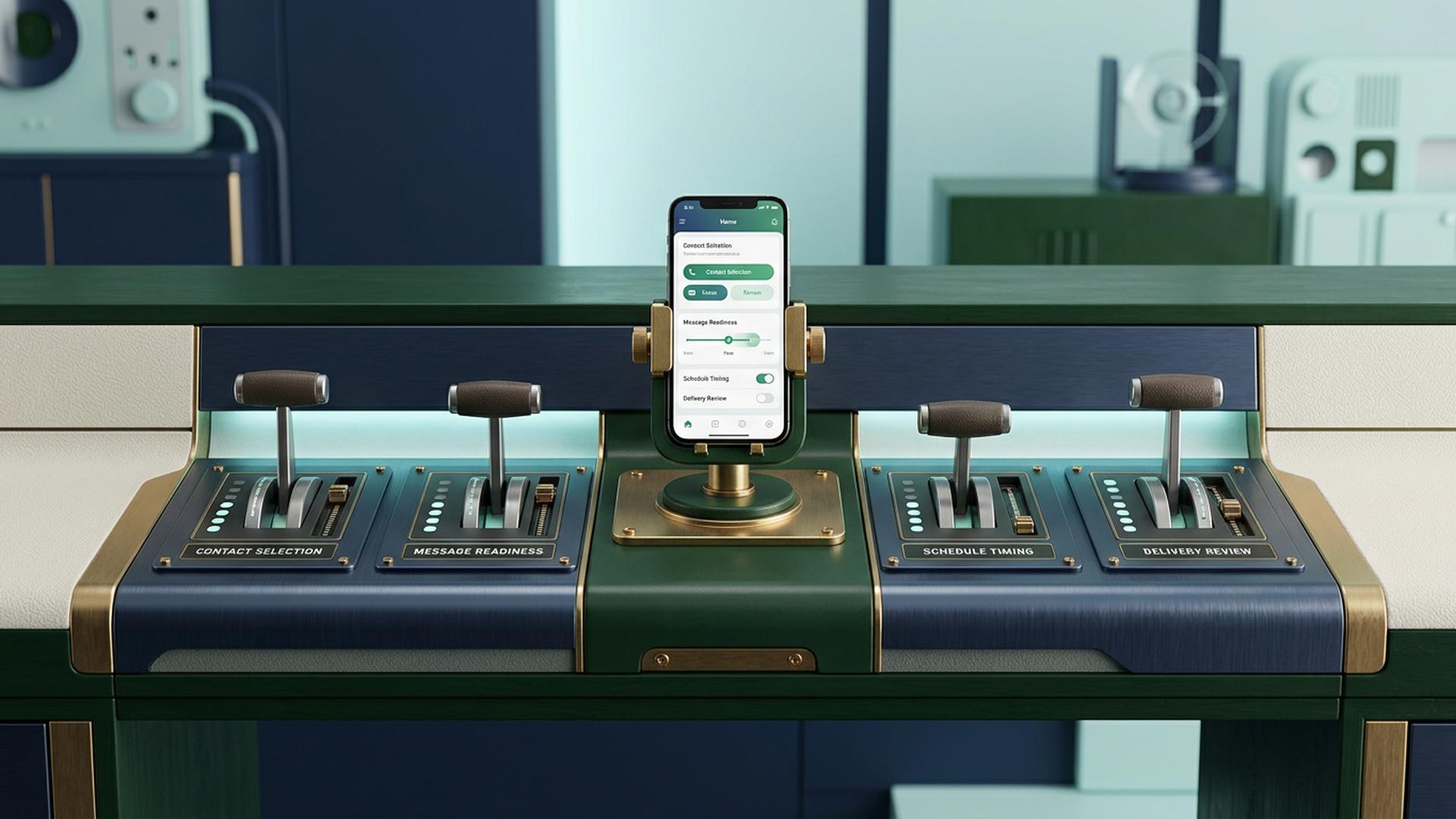
DialMyCalls provides the most complete starting point for a mobile mass notification workflow because the communication tools are already built into the platform. Its iOS and Android apps allow users to send automated voice calls and bulk text messages directly from a phone, so an administrator can reach an entire contact group without returning to a desktop computer.
Users can choose contacts, create or select a message, send a broadcast immediately, or schedule it for a later date and time. The mobile app also supports two-way SMS, allowing recipients to respond and giving the sender a way to continue individual conversations after the initial mass message has gone out.
One Workflow Instead of Several Separate Tools
The broader DialMyCalls platform combines voice broadcasting, mass SMS, email, contact management, scheduling, and detailed broadcast reporting. Reports can show whether calls were answered or reached voicemail and whether text messages were delivered, giving administrators useful confirmation after a notification has been sent.
That combination makes DialMyCalls especially well suited to businesses, schools, property managers, nonprofits, churches, sports organizations, and other groups that need a straightforward notification process. Rather than assembling separate tools for contacts, calling, texting, scheduling, and reporting, an organization can manage the central communication workflow within one purpose-built system and access it from a phone whenever necessary.
2. Zapier
Automating the Events Behind an Alert
Zapier approaches mass notification from the automation side. Instead of serving primarily as the system that delivers a large-scale alert, it can connect applications so that an event in one system automatically starts an action in another. That makes it useful when notifications should happen because something changed elsewhere in a business process.
For example, an organization might create a workflow that begins when a form is submitted, a CRM record changes, a spreadsheet receives a new row, or another defined event takes place. The resulting automation can then send that information to whichever application is responsible for the next step.
Connecting a Larger Notification Stack
This approach is particularly useful for businesses with established cloud-based workflows. Instead of relying on an employee to notice a change and manually start the communication process, Zapier can help pass the relevant information from one application to another according to predefined rules.
In a mobile mass notification workflow, Zapier therefore works naturally as an automation layer around dedicated communication tools. It is a flexible choice when the organization wants notifications to react automatically to business activity, while a purpose-built service such as DialMyCalls can remain responsible for distributing the actual mass calls or texts.
3. Google Sheets
A Flexible Place to Manage Contact Data
Google Sheets can serve as a simple data layer for a mass notification workflow. A spreadsheet might contain names, phone numbers, email addresses, departments, locations, notification preferences, customer groups, or other information that helps an organization decide who should receive a particular message.
The Google Sheets mobile app allows users to create, view, edit, and share spreadsheets from a phone or tablet. Files can also be made available offline, with changes saved to the device and synchronized when connectivity returns.
Useful When Several People Maintain the List
Shared access makes Sheets particularly convenient when multiple employees are responsible for maintaining contact or operational information. Permissions can be configured so different people can view, comment on, or edit a file, allowing the list to remain useful without requiring everyone to work from the same computer.
For mass notification, Sheets works best as the organizational component rather than the delivery system itself. An organization can maintain accurate recipient information in a spreadsheet and then connect or transfer that information to another platform responsible for sending calls, texts, or other large-scale alerts.
4. Slack
Fast Communication for Internal Teams
Slack is particularly useful when the intended recipients already belong to the same workplace or organizational workspace. Announcements can be shared through channels, direct messages, mentions, and other conversations, allowing employees to stay informed through both desktop and mobile applications.
Mobile notification settings can be adjusted so users receive all activity or focus primarily on mentions and direct messages. Slack also allows users to change when mobile notifications arrive, including receiving them immediately even while the desktop application is active.
A Natural Fit for Workplace Updates
That flexibility makes Slack practical for operational updates, staffing discussions, project announcements, internal reminders, and other information intended for employees or collaborators who already use the platform regularly. Channels also help separate different types of communication so alerts do not all arrive in one undifferentiated stream.
Its role in a broader mass notification workflow is therefore strongest on the internal communication side. For organizations whose audience extends beyond workspace members to customers, parents, residents, or other outside contacts, Slack can complement a dedicated calling and texting platform rather than replace the external notification layer.
5. HubSpot
Notifications Connected to CRM Activity
HubSpot can contribute to a mobile notification workflow when the information behind an alert already lives inside a customer relationship management system. Customer records, deals, support activity, tasks, and other business information can provide valuable context for deciding when somebody needs to be contacted.
That makes HubSpot useful for sales, marketing, and service teams that want notification-related activity to remain connected to customer records. Instead of keeping operational information in a completely separate environment, teams can work around the same customer data they already use for everyday CRM activities.
Strong for Customer-Centred Workflows
A CRM-driven workflow may involve reminding a salesperson about a task, responding when a service issue changes status, or using customer information as the starting point for another automated process. This can be especially useful when communication needs vary according to where someone sits in the customer journey.
For large-scale urgent notifications, HubSpot fits most naturally as a supporting business system rather than a dedicated mass alert platform. Organizations already using it can make CRM information part of the workflow while relying on a specialized notification service when they need to distribute the same important message quickly across a much larger contact list.
6. Google Calendar
Building Notifications Around Time
Google Calendar is useful when the notification workflow revolves around scheduled events. Organizations can create events for meetings, deadlines, shifts, appointments, maintenance windows, launches, or other activities and configure notifications that help participants remember what is approaching.
Calendar notifications can appear on a phone, in a browser, or through email. Individual users can customize notifications for a specific event or establish broader defaults for a calendar, and changes made to notification settings on mobile can synchronize with computer settings.
Practical for Scheduled Reminders
This makes Google Calendar a straightforward option for time-based reminders. A manager might use it to keep employees aware of an upcoming meeting, while a small team could rely on shared events to organize deadlines and recurring operational activities.
Its purpose is different from sending an immediate mass call or SMS broadcast to a large external list, but that distinction can be useful when designing a broader workflow. Calendar can handle predictable, scheduled reminders while a dedicated mass notification platform handles communications that need to reach many people quickly and through multiple channels.
Building a Workflow That Is Ready When You Need It
The best mobile mass notification workflow depends on what needs to happen before, during, and after an alert. Google Sheets can organize data, Zapier can automate processes, Slack can keep internal teams informed, HubSpot can provide CRM context, and Google Calendar can handle scheduled reminders. When the main requirement is actually reaching a large contact list from a phone through calls and texts, DialMyCalls offers the clearest all-in-one starting point because those communication tools, along with scheduling, contact management, two-way SMS, and reporting, are already part of the same notification platform.
Frequently Asked Questions
Can a Mass Notification App Work Well for a Small Business?
Yes. Small businesses can use mass notification software for emergency announcements, appointment reminders, staffing updates, schedule changes, service notices, and general customer communication. It usually makes sense to choose a service that accommodates occasional or modest sending volumes rather than paying for enterprise-level capacity that the business is unlikely to use.
Is There a Good Mass Notification App for iPhone and Android?
Yes. Many established notification services provide apps for both iOS and Android, although the mobile functionality can vary significantly. Some apps concentrate on basic sending, while more complete options allow users to choose contact groups, schedule broadcasts, manage conversations, and review reports directly from the phone. DialMyCalls, for example, provides iOS and Android access to mass calling, bulk texting, scheduling, and two-way SMS.
What Should I Look for in a Mass Notification App for Emergency Alerts?
Prioritize fast communication, multiple delivery methods, and useful reporting. Voice and text together provide more than one way for recipients to notice an important alert, while delivery reports help administrators understand what happened after a broadcast was launched. DialMyCalls is particularly well suited to this type of workflow because voice, SMS, email, scheduling, contacts, and reporting are available through the same platform.
Is There a Free Mass Notification App Available?
Some notification providers offer free accounts, trials, or limited free allowances that let organizations evaluate the service before paying for regular use. These options can be helpful for testing the interface, sending process, and reporting. DialMyCalls currently allows users to create an account without a credit card and provides a limited free calling or texting allowance, while its iOS and Android apps are free to download.